

Create your favourites list
Using the option for “Favourites” on the main menu you can create a list of your most visited pages and reports.
Navigating to Your Favourites
Go to Main Menu → Favourites → Manage Favourites.
Adding Destinations to Your Favourites
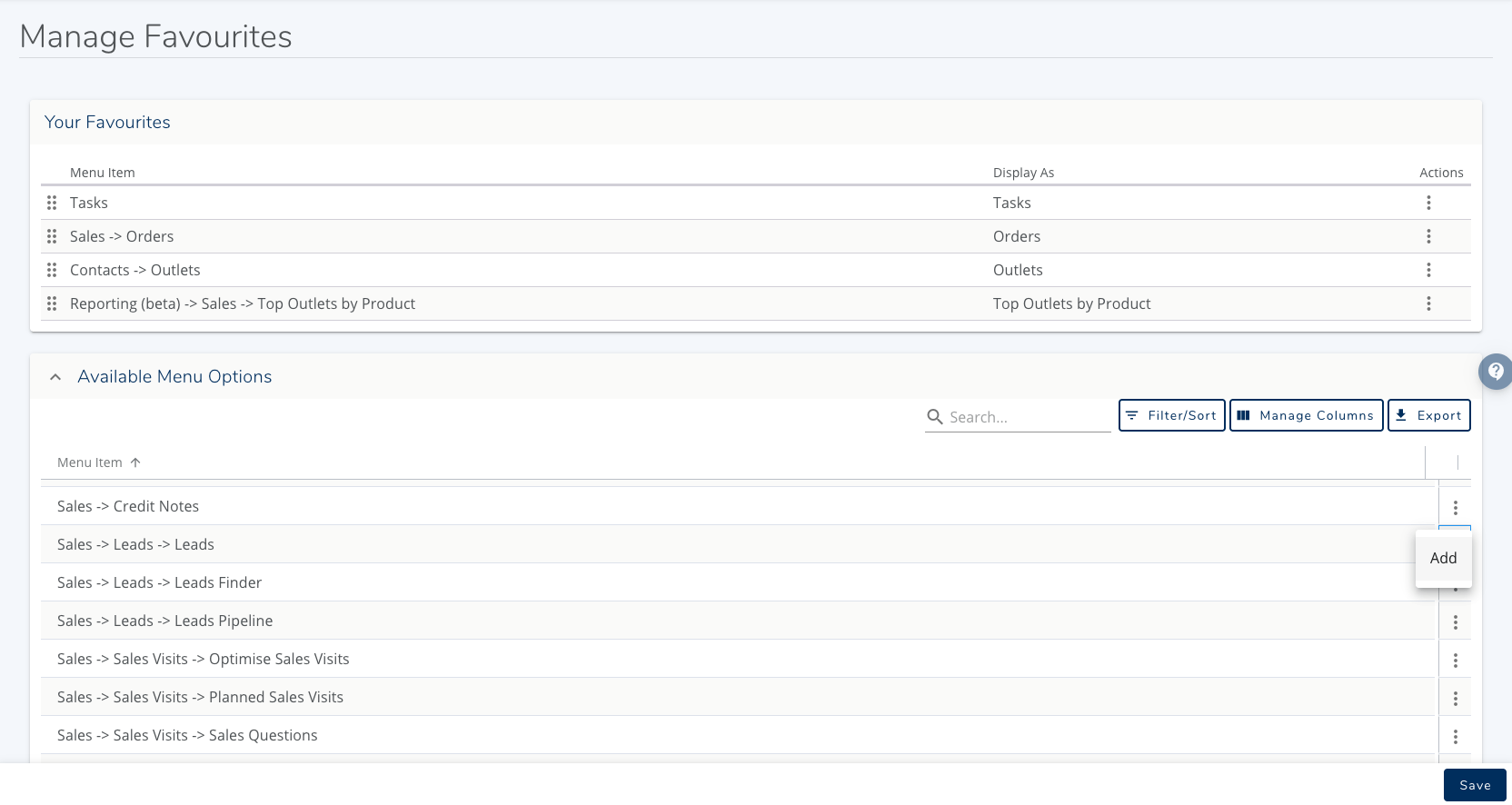
Populate your top card with the tools and reports you rely on most:
Explore the comprehensive list of available navigation options and reports located below your current favourites card.
Find the item you wish to bookmark.
Click the action menu at the end of the row → select Add.
Press Save
These will now appear in your favourites dropdown
Personalising and Reordering Your Favourites
Custom Display Names: Give any menu option a nickname that makes total sense for your daily flow using its action menu.
Reordering: Grab the drag-and-drop handles on the left side of the table to rearrange items into your ideal sequence.
Was this helpful?
Comments
You must be logged in to comment in this article.
Login to comment